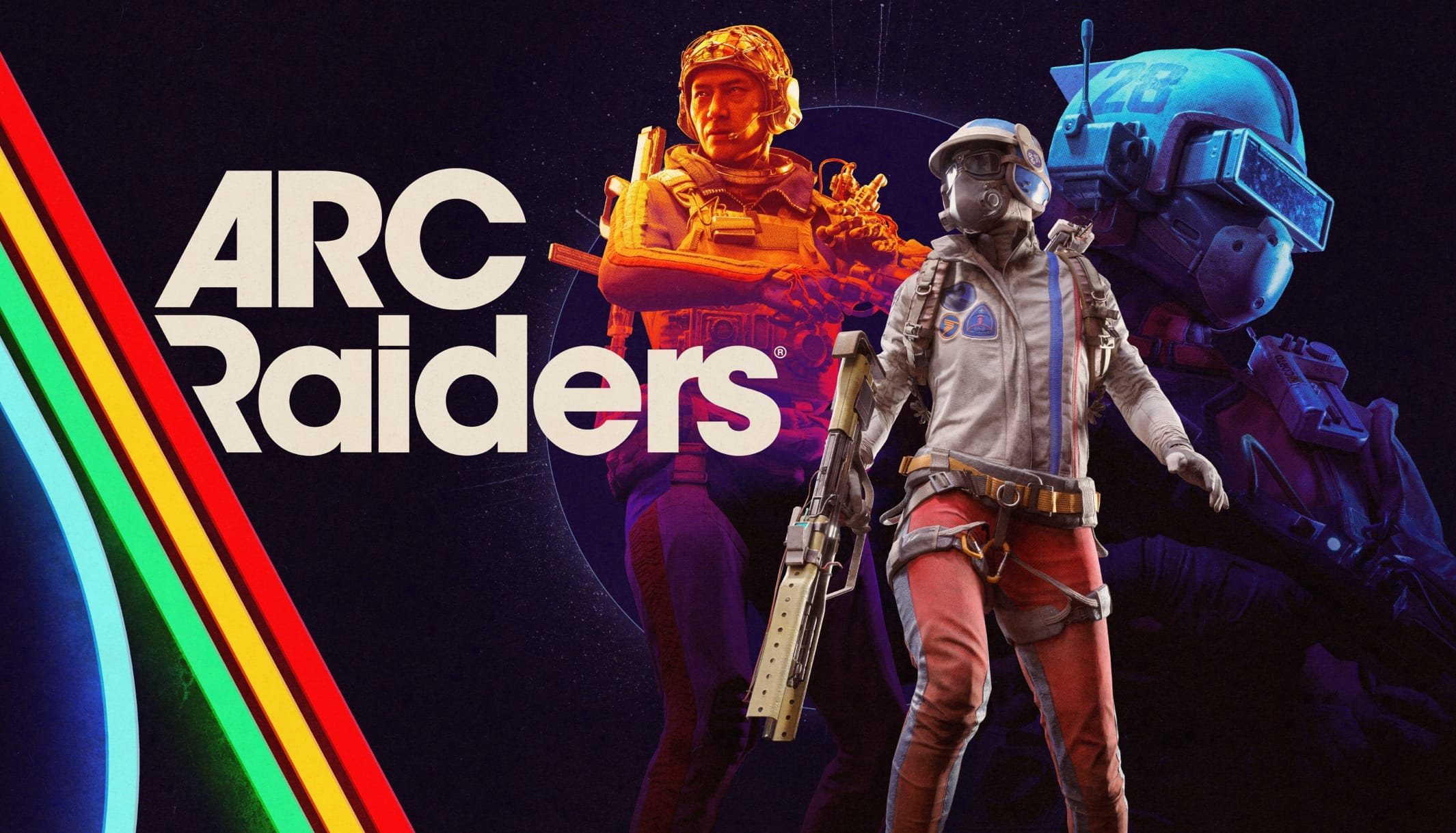
Arc Raiders is a third-person PvPvE extraction shooter developed by Embark Studios, released on October 30, 2025, for PC, PlayStation 5, and Xbox Series X|S. Set on a post-apocalyptic Earth overrun by mysterious machines known as ARC, the game blends survival, tactical combat, and high-stakes looting in a world that constantly feels dangerous and alive.
I’ve spent time playing Arc Raiders both locally and via cloud platforms, and it’s one of the best examples of how modern cloud gaming can deliver a near-native experience, when your network and settings are dialed in correctly.
In this guide, you’ll find:
- Performance tips for cloud gaming
- A breakdown of Arc Raiders gameplay and mechanics
- Which cloud platforms support it (and how well)
- Network and device requirements
- Best in-game settings for performance and clarity
- Crossplay and cross-progression details
You play as a Raider from the underground city of Speranza, venturing to the surface to scavenge resources, fight hostile machines, and sometimes clash with other players. Each run carries real risk: if you die before extracting, you lose your loot.
This creates constant tension — you’re never just fighting the environment or other players, but both at once.
Core Gameplay Loop:
- Scavenge: Search for materials, components, and relics.
- Combat: Fight ARC machines and rival Raiders.
- Craft & Upgrade: Improve gear, skills, and weapons back at base.
- Extract: Escape before time runs out — or lose everything.
Key Features:
- Dynamic weather and environmental conditions (blizzards, storms)
- Deep crafting and progression systems
- Skill trees for playstyle customization
- NPC quests and trader missions
- No forced alliances — cooperate, betray, or go solo
ARC Raiders — Sheet Card
Supported Cloud Platforms
Available


Not Yet





Platform Notes:
- GeForce NOW offers the best visual quality and lowest latency, especially on the Ultimate tier with RTX 5080-class hardware.
- Xbox Cloud Gaming is widely accessible but currently capped at 1080p/60 FPS and is controller-only on console.
- PlayStation Cloud Streaming is limited to PS5 consoles and the PlayStation Portal; PC streaming of PS5 games is not supported.
💡 If performance and graphics matter most, GeForce NOW is currently the strongest option.
Minimum Device Requirements
| Device Type | Minimum Specs |
|---|---|
| 💻 Windows PC/Mac | Any modern browser, 4GB RAM, dual-core CPU |
| 📺 Smart TV/Browser | Modern browser (Chrome/Edge), 25Mbps+ internet |
Network Requirements
| Parameter | Recommendation |
|---|---|
| Speed | 25 Mbps for 1080p/60 FPS 45 Mbps for 4K/120 FPS |
| Latency | Under 60–80 ms to cloud server Under 40 ms is ideal |
| Connection Type | Wired Ethernet > 5 GHz Wi-Fi > 2.4 GHz Wi-Fi |
| Router Placement | Place close to device; minimize obstructions & interference |
| QoS / SQM | Enable on router to prioritize gaming traffic |
| Server Region | Select the closest region in-game for lowest ping |
| Background Apps | Close downloads, streams, cloud sync, and updates |
| Peak Hours | Play during off-peak hours for optimal stability |
Ideal Settings and Game Optimization Guide
1. Display & Graphics
– Window Mode: Borderless Fullscreen (PC); Fullscreen (console)
– Resolution: Match your monitor; use DLSS/FSR for upscaling
– V-Sync: Off (use G-Sync/FreeSync if available)
– Frame Rate Limit: Unlimited or match monitor refresh rate
– Motion Blur/Depth of Field: Off
– FOV: 80 (max)
– Shadows/Foliage: Low for competitive play; High for visuals if FPS allows
– Textures: High (VRAM ≥ 8GB); Medium otherwise
– Post-Processing/Effects: Low for FPS; Medium/High for visuals
– Ray Tracing: Off for performance; Static for visuals
– DLSS/FSR: Balanced or Quality mode
3. Audio
– Output Device: Stereo headphones
– Night Mode: On (compresses loud/quiet sounds for better cues)
– Master Volume: 100% (adjust for comfort)
– Effects Volume: High
– Voice Chat: Push-to-Talk
4. Controls
– Mouse DPI: 800–1200 (PC); 75% horizontal/50% vertical sensitivity
– Aim Assist: On (controller)
– Deadzone: 0–10% (lowest possible without drift)
– Look Response Curve: Linear
– Crosshair: Bright green/cyan, high opacity, custom shape
5. Accessibility
– Subtitles: On; adjust size for readability
– Color Blind Modes: Deuteranopia, Tritanopia, Protanopia available
– Invert Flash Color: Reduces blinding effects during night raids
– Font Size: Adjustable for menus and HUD
Controller Support and Input Options
Arc Raiders offers robust controller support across all platforms. Whether you’re on PC, Xbox, or PlayStation, you can use your preferred controller with native button prompts.
Supported Controllers:
– Xbox Series XS, Xbox One
– PlayStation DualSense, DualShock 4
– PC: Full support for Xbox and PlayStation controllers; Steam Input can be disabled for best results
Controller Settings Recommendations:
– Aim Assist: On (default; essential for competitive play)
– Horizontal Sensitivity: 75%
– Vertical Sensitivity: 60%
– Zoom Sensitivity Multiplier: 40%
– Scoped Zoom Sensitivity: 50%
– Look Response Curve: Linear
– Deadzone: 0–10% (lowest possible without drift)
– Look Boost: 140–150 (horizontal), 120 (vertical)
– Ramp-up Time: 0.5s (look), 0.2–0.3s (zoom)
– Interact/Reload Behavior: Tap to Interact or Prioritize Reload (personal preference)
Crossplay and Cross-Progression Status
Arc Raiders supports full crossplay and cross-progression across PC, PlayStation 5, and Xbox Series XS. This means you can squad up with friends on any platform and carry your progress wherever you play.
– Crossplay: Enabled by default; all platforms share the same matchmaking pool
– Crossplay Toggle: You can disable crossplay in settings to restrict matches to your own platform
– Console-Only Filter: Not supported; disabling crossplay excludes PC players but also limits matchmaking pool
– Cross-Progression: Tied to your Embark ID; sign in on any platform to access your character, unlocks, and gear
– Game Ownership: You must purchase the game on each platform you wish to play on (except Xbox Play Anywhere, which covers Xbox and Windows PC)
Practical Steps:
- Create or sign in to your Embark ID
- Link your platform accounts (Steam, Epic, PlayStation, Xbox)
- Add friends via Embark ID for cross-platform parties
- Adjust matchmaking region for lower ping
Tips:
- Leaving crossplay on gives faster queue times and a larger player pool
- Cross-progression is seamless once your Embark ID is linked everywhere
- Xbox Play Anywhere lets you buy once for Xbox and Windows PC
Performance Tips for Cloud Gaming
1. Internet Speed and Latency
– Use Recommended Speed: 25 Mbps for 1080p/60 FPS; 45 Mbps for 4K/120 FPS
– Latency: Aim for under 60–80 ms to the cloud server; lower is always better
– Connection Type: Wired Ethernet is best; 5 GHz Wi-Fi is acceptable if wired isn’t possible
– Router Placement: Keep your router close and minimize interference
2. Network Optimization
– Close background apps and downloads
– Enable QoS or SQM on your router to prioritize gaming traffic
– Choose the closest server region in-game for lower ping
– Play during off-peak hours to avoid congestion
3. In-Game Settings
– Disable V-Sync for lower input latency; use G-Sync/FreeSync if available
– Enable NVIDIA Reflex or AMD Anti-Lag for faster response
– Set FOV to 80 for wider awareness
– Disable Motion Blur and Depth of Field for clearer visuals
– Use DLSS/FSR Balanced or Quality mode for best FPS/clarity trade-off
4. Controller and Input
– Use a wired controller for lowest latency
– Tune sensitivity and aim assist for your playstyle (see controller settings section below)
– Test and adjust deadzones to avoid drift and improve precision
Community and Patch Notes / Updates
Arc Raiders is actively updated with new content, balance changes, and bug fixes. The latest major update, Cold Snap (1.7.0), introduced:
- New winter map conditions (blizzards, freezing temps)
- Flickering Flames community event
- Free Raider Deck “Goalie”
- Skill Tree Reset functionality
- Toggle Aim Down Sights option
- Raider Tool customization
- Weapon balance changes (Bettina, Rattler)
- Improved spawn logic and collision fixes
- Audio enhancements (footstep priority, directional sound)
- Accessibility improvements (motion blur slider, input labels)
- Bug fixes for inventory, quests, and UI
- Known issues: AMD Radeon RX 9060 XT driver warning, stash value display bug
Final Thoughts: Cloud Gaming in Arc Raiders
Arc Raiders is one of the best examples of how cloud gaming can deliver a full, competitive extraction shooter experience. Whether you’re playing on GeForce NOW’s RTX 5080 servers, Xbox Cloud Gaming, or PlayStation Cloud Streaming, the game remains intense, immersive, and highly replayable — provided your network is up to the task.
Key Takeaways:
- GeForce NOW offers the best performance and visuals
- Xbox Cloud Gaming is the most accessible option
- PlayStation Cloud is ideal for PS5 owners
- Optimizing your network and in-game settings dramatically improves performance
- Crossplay and cross-progression make it easy to play with anyone, anywhere
- Staying updated with patches keeps the experience fresh and balanced