Start typing to search across all articles, guides, and tools

No results found

Try different keywords or browse our tools above

Searching...

Bandwidth Requirements for Cloud Gaming: From 720p to 4K

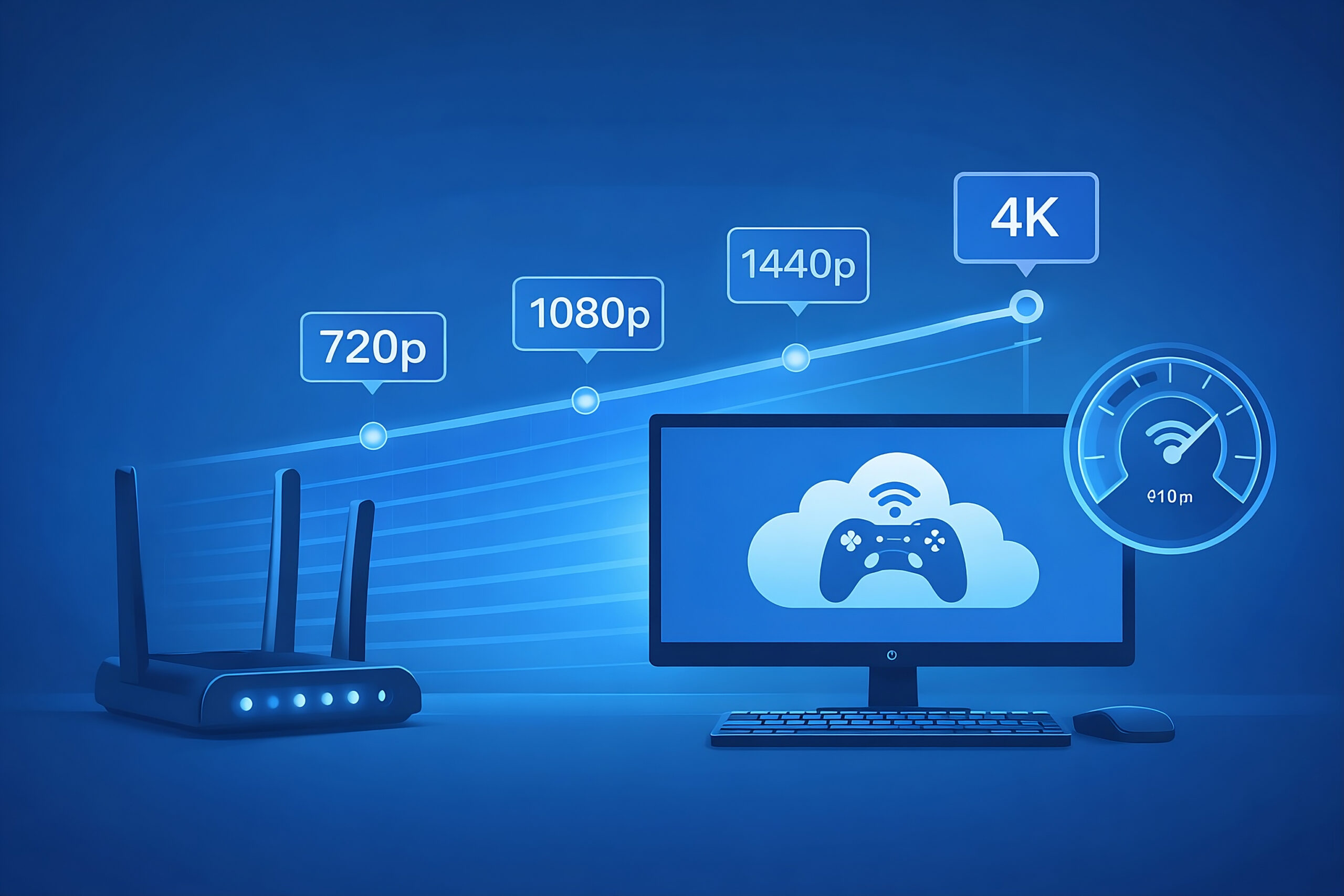
Cloud gaming bandwidth requirements showing 720p, 1080p, 1440p, and 4K streaming over a blue network interface

Cloud gaming has changed how we play. Instead of buying a powerful PC or console, your game runs on a remote server and streams to your device like a live video feed. Your controller inputs travel to the server, and the server sends back a new video frame every split second.

That Siad, I’ve tested some cloud games across multiple platfroms on different connections: fiber, cable, and even 5G — and one thing is clear: your internet connection matters more than your hardware. Speed helps, but latency, stability, and packet loss matter just as much.

In this guide, I’ll break down real-world bandwidth requirements for cloud gaming at 720p, 1080p, 1440p, and 4K. We’ll also cover latency, jitter, codecs like AV1, and platform-specific recommendations from services like GeForce NOW, Xbox Cloud Gaming, Amazon Luna, PlayStation Plus, Boosteroid, and Shadow, all based on practical usage, not just marketing numbers.

How Cloud Gaming Actually Works

Cloud gaming works by running the game on a powerful GPU in a data center. Your device:

  • Sends controller inputs upstream.
  • Receives a live video stream downstream at 60–120 FPS.

This means your internet connection acts like your graphics card and display cable combined. Unlike Netflix or YouTube, cloud gaming can’t buffer, every frame depends on your next input.

That’s why four things matter:

  • Download speed: Determines resolution, bitrate, and visual quality.
  • Upload speed: Carries your inputs and voice chat.
  • Latency (ping): How long your input takes to reach the server and come back as a new frame.
  • Stability (jitter & packet loss): Determines whether gameplay feels smooth or stutters.

💡 Speed alone is not enough, low latency and a stable connection are what make cloud gaming feel responsive.

Bandwidth Requirements by Resolution

🎮 Cloud Gaming Bandwidth Requirements

720p Entry Level

Entry-Level Streaming

Download Speed 7-15 Mbps
Upload Speed 2-5 Mbps
Latency Under 80 ms (ideally below 60 ms)
Data Usage 1-3 GB/hr
👆 Click for details
1080p Sweet Spot

The Sweet Spot

Download Speed 20-35 Mbps
Upload Speed 5-10 Mbps
Latency Under 60 ms (up to 80 ms workable)
Data Usage 4-10 GB/hr
👆 Click for details
1440p High Fidelity

High-Fidelity PC Play

Download Speed 35-45 Mbps
Upload Speed 10+ Mbps
Latency Under 40 ms (up to 60 ms acceptable)
Data Usage 10-15 GB/hr
👆 Click for details
4K Ultra HD

Ultra HD, Maximum Demands

Download Speed 45-75 Mbps
Upload Speed 15-20 Mbps
Latency Under 30 ms (up to 50 ms workable)
Data Usage 15-20 GB/hr (can exceed 20 GB)
👆 Click for details
720p Cloud Gaming Entry Level
Platform Examples:
GeForce NOW
15 Mbps minimum for 720p/60 FPS
PlayStation Plus
7 Mbps minimum for 720p
Xbox Cloud Gaming
10 Mbps minimum, but 20 Mbps is better for stability

At 720p, cloud gaming is accessible even on modest connections. This is great for mobile devices, travel, or areas with limited broadband. You’ll use less data, and the stream is more forgiving of brief speed dips. However, fast-paced games may look a bit blurry, and input lag is more noticeable if latency creeps above 80 ms.

1080p Cloud Gaming Sweet Spot
Platform Examples:
GeForce NOW
25 Mbps minimum for 1080p/60 FPS
PlayStation Plus
13-15 Mbps recommended for 1080p
Xbox Cloud Gaming
20 Mbps recommended for best quality
Boosteroid
24 Mbps minimum for Full HD
Amazon Luna
10 Mbps minimum, but can use up to 10 GB/hour at high settings

1080p is the most popular cloud gaming resolution, balancing sharp visuals and manageable data usage. Most platforms recommend at least 25 Mbps for smooth 60 FPS play. If your connection is stable and latency is low, you’ll enjoy crisp graphics and responsive controls. Data usage jumps compared to 720p, so watch out for ISP caps.

1440p Cloud Gaming High Fidelity
Platform Examples:
GeForce NOW
35 Mbps minimum for 1440p/120 FPS
Boosteroid
64 Mbps or higher for 4K, but 1440p sits in the middle

1440p is popular for PC gamers with high-refresh monitors. You’ll need a faster connection and lower latency to avoid stutter and input lag. Data usage climbs, so unlimited plans are best. Not all platforms support 1440p natively—GeForce NOW and Boosteroid are leaders here.

4K Cloud Gaming Ultra HD
Platform Examples:
GeForce NOW Ultimate
45 Mbps minimum for 4K/120 FPS; up to 100 Mbps for Cinematic Quality Streaming
PlayStation Plus
38 Mbps minimum, 52 Mbps recommended for 4K/60 FPS HDR
Boosteroid
64 Mbps or higher for 4K streaming
Amazon Luna
35 Mbps minimum for 4K

4K cloud gaming delivers stunning visuals, but it’s bandwidth-hungry. You’ll need a top-tier internet plan, ideally fiber or high-speed cable, and a modern router. Latency must be low—otherwise, input lag and stutter will ruin the experience. Data usage is massive, so check your ISP’s cap before diving in.

Codec and Compression: How AV1, HEVC, and VP9 Change the Game

Modern cloud platforms rely on advanced video codecs to reduce bandwidth while preserving image quality.

CodecCompression EfficiencyHardware SupportHDR SupportBandwidth Savings
AV1Best (30–50% better than VP9 / HEVC)Growing (2025+ devices)FullHighest (ideal for 4K)
HEVC (H.265)Very good (better than H.264)WidespreadFullHigh
VP9Good (better than VP8 / H.264)UniversalBasicModerate

What this means in practice: If your device supports AV1, you might stream 4K at 45 Mbps instead of 70–80 Mbps, with fewer artifacts and smoother motion. This is one of the biggest reasons cloud gaming quality has improved so much recently.

Latency, Jitter, and Packet Loss: The Hidden Enemies

Most gamers focus on speed, but these three factors matter just as much, sometimes more.

Latency (Ping)

  • Under 60 ms: Good
  • Under 40 ms: Excellent
  • Under 30 ms: Ideal for 4K and competitive play

💡 Latency determines how fast your actions appear on screen. High latency = sluggish controls.

Jitter (Latency Variation)

Even if your average ping is low, spikes can cause:

  • Rubber-bandin
  • Input delay
  • Sudden quality drops

💡 Target: Under 10 ms jitter. 

Packet Loss

Even 0.5% packet loss can cause:

  • Macro-blocking
  • Stream freezes
  • Disconnection

💡 Target: As close to 0% as possible. 

Practical fixes:

  • Test latency to the cloud provider’s data center, not just generic speed test servers.
  • Use wired Ethernet. 
  • Enable SQM (Smart Queue Management) or QoS on your router.
  • Avoid heavy uploads, downloads, or congested Wi-Fi environments while gaming.

Platform-Specific Requirements: 2026 Updates

GeForce NOW NVIDIA

720p/60 FPS: 15 Mbps minimum

1080p/60 FPS: 25 Mbps minimum

1440p/120 FPS: 35 Mbps minimum

4K/120 FPS: 45 Mbps min; up to 100 Mbps for Cinematic Quality

Latency: <80 ms to data center; <40 ms recommended

Network: Wired Ethernet preferred; 5 GHz Wi-Fi if wireless

Codec: AV1, HEVC, VP9 supported

Xbox Cloud Gaming Game Pass Ultimate

Minimum: 10 Mbps download (mobile); 20 Mbps recommended

1080p/60 FPS: 20-50 Mbps ideal for action-heavy games

4K/60 FPS: 50 Mbps or higher recommended (4K rollout underway)

Latency: <60 ms for responsive play; <20 ms targeted for 4K

Network: Wired Ethernet or 5 GHz Wi-Fi recommended

Codec: HEVC and AV1 support expanding

Amazon Luna Amazon

1080p/60 FPS: 10 Mbps minimum; 20 Mbps recommended

4K/60 FPS: 35 Mbps minimum

Data Usage: Up to 10 GB/hour at higher settings

Network: Wired preferred; 5 GHz Wi-Fi recommended

Codec: HEVC and VP9; AV1 support in development

PlayStation Plus Cloud Streaming

720p/60 FPS: 7 Mbps minimum; 15 Mbps recommended

1080p/60 FPS: 13 Mbps minimum; 25 Mbps recommended

4K/60 FPS (HDR): 38 Mbps minimum; 50-70 Mbps recommended

Latency: 50-80 ms input lag typical; lower is better for 4K

Network: Wired preferred; 5 GHz Wi-Fi for Portal/PC

Codec: HEVC and AV1 support expanding

Boosteroid Boosteroid

1080p: 24 Mbps minimum

4K: 64 Mbps or higher recommended

Latency: Ultra-low, with 28 data centers worldwide

Network: Wired preferred; 5 GHz Wi-Fi supported

Codec: VP9 and AV1 support; AV1 rolling out for 4K

Shadow Shadow PC

Bandwidth: Stable connection required; HD video capability

Minimum: 15 Mbps for smooth play

Network: Wired preferred; Wi-Fi 5/6 supported

Codec: HEVC and VP9; AV1 support in development

Comparison Table: Platform Bandwidth Requirements (2026)

Platform720p / 60 FPS1080p / 60 FPS1440p / 120 FPS4K / 60–120 FPSLatency TargetCodec SupportData Usage (per hour)
GeForce NOW15 Mbps25 Mbps35 Mbps45–100 Mbps<80 ms (<40 ms ideal)AV1, HEVC, VP94–20 GB
Xbox Cloud Gaming10 Mbps20–50 MbpsN/A50+ Mbps<60 ms (<20 ms for 4K)HEVC, AV13–10 GB
Amazon LunaN/A10 MbpsN/A35 Mbps<80 msHEVC, VP94–10 GB
PlayStation Plus7 Mbps13–25 MbpsN/A38–70 Mbps<80 msHEVC, AV14–20 GB
BoosteroidN/A24 MbpsN/A64+ Mbps<60 msVP9, AV14–20 GB
ShadowN/A15 MbpsN/A35+ Mbps<80 msHEVC, VP94–20 GB

Real-World Examples: ISP Types and Performance

🟢 Fiber (FTTH/FTTP)

  • Speeds: 100–1000+ Mbps (symmetrical)
  • Latency: 5–20 ms (very low)
  • Best for: 4K/120, competitive gaming, streaming + voice chat

Experience: Fiber delivers the smoothest cloud gaming experience possible. If you have access to fiber, you’re already in the best position.

🟡 Cable (DOCSIS)

  • Speeds: 25–1000 Mbps down, 5–50 Mbps up
  • Latency: 15–30 ms
  • Best for: 1080p/60, 4K if node isn’t congested

Experience: Cable performs well, but uploads are lower and evening congestion can increase latency. SQM and Ethernet make a big difference.

🟠 5G Home Internet (Fixed Wireless)

  • Speeds: 100–1000 Mbps (varies)
  • Latency: 10–40 ms
  • Best for: 1080p/60, sometimes 4K

Experience: Modern 5G can be excellent, but performance depends heavily on signal quality and tower load.

Starlink (LEO Satellite)

  • Speeds: 50–150 Mbps down, 10–20 Mbps up
  • Latency: 20–50 ms
  • Best for: 1080p/60, rural 4K

💡 Starlink has made cloud gaming possible in areas where it wasn’t before, though occasional latency spikes still happen.

Home Network Tips: Ethernet, Wi-Fi 5/6/6E, and Router Settings

Wired Ethernet vs Wi-Fi

Ethernet:

  • Lowest latency (1–5 ms)
  • No interference
  • Best for 4K and competitive play

Wi-Fi 5/6/6E:

  • Use 5 GHz or 6 GHz bands
  • Keep router close
  • Avoid crowded channels

Tip: If you can use Ethernet, do it. If not, use 5 GHz or 6 GHz Wi-Fi with the router in the same room.

Router Tweaks That Actually Help

  • Enable SQM: Reduces bufferbloat and latency spikes.
  • Use QoS: Prioritize your gaming device.
  • Update firmware: Improves stability and security.
  • Fix NAT issues: Avoid double NAT; use UPnP if needed.

🔍 Test Your Network Configuration

Use our free NAT & Port Checker tool to diagnose connectivity issues and verify your network setup.

Try NAT Checker Tool →

Data Usage Management: Hourly Estimates and Tips

Cloud gaming uses a steady, high bitrate. Here’s what to expect:

ResolutionData Usage (per hour)
720p1–3 GB
1080p/304–6 GB
1080p/606-10 GB
1440p/6010–15 GB
4k/6015–20+ GB

Tips to manage data:

  • Lower resolution or frame rate.
  • Avoid mobile data.
  • Close background downloads.
  • Monitor usage through your ISP or router.

Two hours of 4K cloud gaming every night can exceed 1 TB/month, plan accordingly.

Recent Changes: Platform Updates, Codec Rollouts, and Service News (as of Jan-2026)

  • GeForce NOW: RTX 5080 servers, DLSS 4, AV1, 4K/120+, persistent storage.
  • Xbox Cloud Gaming: 4K streaming on select devices, direct-to-cloud controllers in testing.
  • Amazon Luna: 4K on select devices; high data usage at max quality.
  • PlayStation Plus: 4K HDR cloud streaming on PS5 and select TVs.
  • Boosteroid: 4K/120 support expanding; AV1 rollout.
  • Shadow: AV1 support in development; stable HD connections required.

Conclusion: Future-Proofing Your Cloud Gaming Setup

Cloud gaming is no longer experimental, it’s a legitimate way to play AAA games. But your experience depends almost entirely on your network.

Key takeaways:

  • Use Ethernet or clean 5/6 GHz Wi-Fi.
  • Match your resolution to your bandwidth and data cap.
  • Monitor latency, jitter, and packet loss, not just speed.
  • Enable SQM/QoS on your router.
  • Stay updated on platform requirements and codec rollouts.

Whether you’re playing on GeForce NOW’s RTX 5080 servers, Xbox Cloud Gaming’s 4K mode, or PlayStation Plus Premium, a stable, low-latency connection will always matter more than raw download speed. As codecs like AV1 mature and networks improve, cloud gaming will only get better, bringing console-quality gaming to any screen.

FAQs

For smooth 1080p/60 FPS, aim for at least 25 Mbps download, stable ping under 60–80 ms, and near-zero packet loss. For 4K, target 45–75 Mbps, wired Ethernet, or clean 5/6 GHz Wi-Fi.

Yes, 100 Mbps is plenty for 1080p and most 4K streams, as long as your connection is stable.

Often yes—strong 5G can deliver both speed and latency needed. Results vary by tower load and signal quality.

1080p/60 FPS: 6–10 GB/hour; 4K/60 FPS: 15–20+ GB/hour.

No. Cloud gaming requires a constant internet connection.

Yes. Lowering resolution and frame rate can save significant data.

Yes. Ethernet offers lower latency, less jitter, and more stability.

Play PC Games Instantly

No downloads. No expensive gaming PC. Play your Steam, Epic and other supported games directly from the cloud.

Instant Play RTX Performance Low Latency PC • Mac • Android • TV
Start Gaming on Boosteroid

Leave a Comment

This site uses Akismet to reduce spam. Learn how your comment data is processed.

Cloud Loadout — About the Author
Yassine Abbassi, Founder of Cloud Loadout

Yassine Abbassi

Founder & Lead Writer — Cloud Loadout

I’m Yassine — a cloud gaming enthusiast and technical writer with a background in web development and systems architecture. As the founder of Cloud Loadout, I’m dedicated to cutting through the noise and delivering clear, actionable guides for GeForce NOW, Xbox Cloud Gaming, PlayStation Remote Play, and more. My mission? To help gamers of all levels stream smarter, troubleshoot faster, and play without compromise.