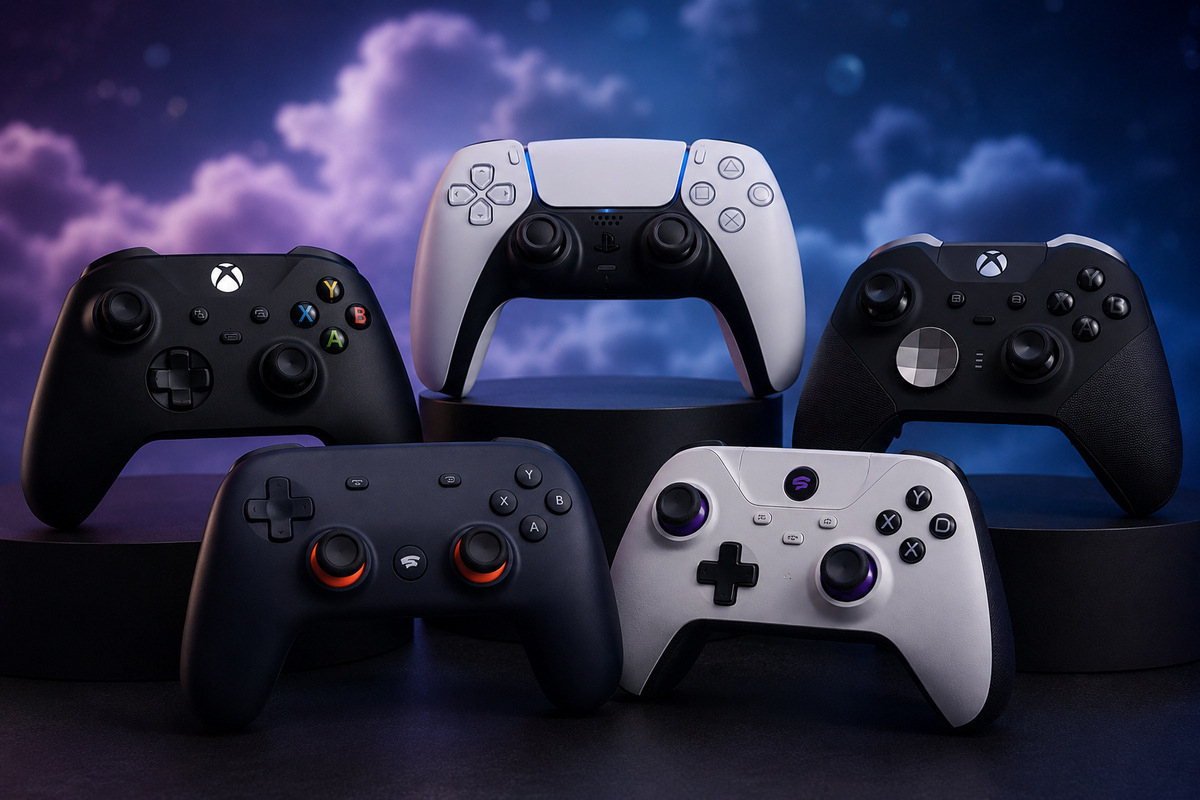
Cloud gaming is only as good as what’s in your hands. A controller that introduces lag, falls apart after a couple of months of use, or simply doesn’t pair cleanly with your platform of choice can turn an otherwise smooth streaming experience into a frustrating one.
That being said, we checked around, scouted the internet, and came back with the best list of controllers that match your platform needs and actually work. We also highlighted the ones that fit best with your favorite cloud gaming service to bring you a straightforward, no-fluff ranking. Let’s get started.
What Makes a Great Cloud Gaming Controller?
Before getting into specific picks, four factors matter most:
Latency and connection type.
Wired USB-C is fastest, it eliminates Bluetooth overhead
entirely. Bluetooth 5.0+ is adequate for casual play. For example amazon’s Luna Controller uses a Wi-Fi Direct
mode that connects straight to amazon servers*, bypassing your device completely.
Hall Effect joysticks.
Traditional sticks use carbon contacts that wear down and cause stick drift.
Hall Effect sensors are magnetic, they last significantly longer and maintain precise
calibration. They’re now available at mid-range prices and should be a baseline expectation.
Platform compatibility.
Xbox Cloud Gaming favors Xbox-layout controllers. PlayStation
Remote Play works best with DualSense or DualShock layouts. GeForce Now and Luna support
virtually any Bluetooth gamepad. Confirm your controller works with your primary service
before buying.
Build quality and grip comfort
Cloud gaming sessions run long. Shallow triggers, cramped
grips, and flimsy bridges become real problems after an hour.
Quick Picks: Best Cloud Gaming Controllers at a Glance
| # | Controller | Best For | Connection | Hall Effect | Price | Rating | Buy |
|---|---|---|---|---|---|---|---|
| 1 | GameSir G8 GalileoUSB-C Mobile Controller | Best for mobile | Wired USB-C | ✅ Sticks + Triggers | ~$60 | Top Pick | Amazon ↗ |
| 2 | Backbone One 2nd GenStandard + Xbox Edition | Best for iPhone | USB-C / Lightning | ❌ Standard sticks | $99–$110 | Editors’ Choice | Amazon ↗ |
| 3 | Xbox Wireless Controller2025 Revision | Best Traditional Gamepad | Wireless 2.4Ghz, Bluetooth + USB-C | ❌ Standard sticks | ~$60 | Recommended | Amazon ↗ |
| 4 | Razer Kishi V3 ProAndroid / Large Phones | Best for Large Phones | Wired USB-C | ✅ TMR sticks | ~$150 | Premium | Amazon ↗ |
| 5 | 8BitDo Ultimate 2CWireless / Wired dual-mode | Best Budget Pick | 2.4GHz + USB-C | ✅ Sticks only | ~$30 | Best Value | Amazon ↗ |
| 6 | PlayStation DualSensePS5 Wireless Controller | Best for PS5 & immersive gaming | Bluetooth / USB-C | ❌ Standard sticks | ~$160 | Editors’ Choice | Amazon ↗ |
| 7 | Amazon Luna ControllerCloud Gaming Optimized | Best for Amazon Luna | Wi-Fi (Cloud Direct) / Bluetooth / USB | ❌ Standard sticks | ~$50 | Cloud Optimized | Amazon ↗ |
* Prices from Amazon — subject to change.
1. GameSir G8 Galileo — Best Overall Mobile Controller

~$70 · USB-C · Android + iPhone 15 and newer
- Hall Effect joysticks for precision & durability
- USB-C wired connection for zero-latency gaming
- Compatible with Android & iPhone 15+
Prices Vary
The G8 Galileo is the benchmark for mobile controllers right now. It connects via
wired USB-C, no Bluetooth, no added latency, and pairs that with Hall Effect joysticks and
Hall sensor triggers, the first mobile controller to offer both. Two programmable back buttons, a
passthrough charging port, and a 3.5mm audio jack round out a spec sheet that embarrasses
controllers twice its price.
Compatibility is broad: Xbox Cloud Gaming, PlayStation Remote Play, GeForce Now, and
Amazon Luna all work without configuration. The grip is sized for average to large hands,
smaller hands may find it a bit much. The GameSir app is Android-only, so iPhone users lose
some customization, though the hardware functions correctly regardless.
PROS
- Wired USB-C eliminates latency entirely titles
- Hall Effect sticks and triggers
- Works across all major cloud gaming platforms
- Growing library of PS4/PS5 streamable titles
CONS
- GameSir app supports Android only(Android/iOS)
- May feel oversized for smaller hands
2. Backbone One (2nd Gen) — Best for iPhones

~$99 · USB-C/lightning · Android + Ios + PC
- In-App Emulator Ready for iOS Users
- Cross-Platform Ready
- Precision controls – Ergonomic touchpads
- 3.5mm headphone jack with audio support
Prices Vary
The Backbone One (2nd Gen) turns your phone into a portable gaming console with responsive controls, low-latency USB-C (for new iphone gens 15/16/17) and lightning connectivity for older models(14 and below) and it’s compatible with most android devices. it support for cloud gaming, remote play, and mobile titles. it works with services like Xbox Cloud Gaming, GeForce NOW, PlayStation plus and other popular cloud services, which means you can play any title anywhere, even on PC and Mac devices. iOS users can also enjoy retro gaming through Backbone’s in-app emulator support, making it a versatile controller for gaming at home or on the go.
What Backbone doesn’t offer: Hall Effect sticks, back buttons on the standard model, and
extended grip ergonomics. If those matter to you, the GameSir G8 Plus (the Bluetooth variant
with iOS support) is worth a look. But for portability, polish, and iOS integration, Backbone
remains the category leader.
PROS
- Best iOS compatibility
- Cloud Platfroms optimized
- slim, genuinely pocket-friendly form factor
- Magnetic adapters enable phone case compatibility
CONS
- No Hall Effect joysticks
- No back buttons on standard model
- Subscription required for some app features
3. Xbox Wireless Controller

~$60 · USB-C · Android + Ios + PC
- 40h battery life*
- 2.4 Ghz wireless connection*
- 15 style controller deisgns for all sort of tastes
- 3.5mm headphone jack for lower latency
Prices Vary
The Xbox Wireless Controller remains one of the best controllers for cloud gaming thanks to its wide compatibility, comfortable design, and reliable performance. It works smoothly with Android, iPhone, Windows PCs, smart TVs, and major cloud gaming services without setup headaches.
The latest version adds textured grips, a hybrid D-pad, and a Share button for quick captures. For even lower latency, you can use the Xbox Wireless Adapter with 2.4GHz wireless, but you’ll need the version that includes the dongle. Using wired headphones through the 3.5mm jack also helps reduce audio delay while streaming games.
While AA batteries and the lack of an included USB-C cable feel outdated, frequent discounts make it an easy recommendation for multi-platform gaming setups.
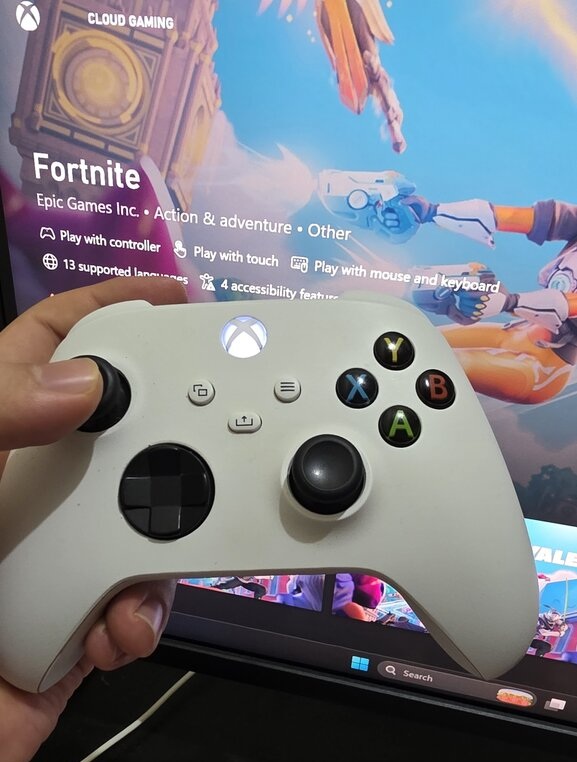
Overall, the xbox controller offers a great value for the price, it has exrtreme fast connection to bluetooth in less than 2 blinks, and you can play right away. It’s actually the one i bought -it’s been with me for years nad i can only say it’s super durable,optimized for windows and works everywhere.
PROS
- Compatible with every platform and device
- 3.5mm jack for low-latency headset audio
- Comfortable for a wide range of hand sizes
- Best value for the price
CONS
- No Hall Effect sticks
- AA batteries only — you pay separately for built-in rechargeable pack
- USB-C cable not included
4. Razer Kishi V3 Pro

~$150 · USB-C · Android + Ios + PC
- USB-C connection
- Dual mouse click back buttons & claw grip bumpers
- Fits phones, ipad mini & android tablets up to 8″
- Full sized tmr thumbsticks with swappable caps
- Powered by Razer Nexus
Prices Vary
The Kishi V3 Pro addresses the two biggest criticisms of previous Kishi models: no back buttons
and standard joystick technology. Both are fixed here. The back buttons are lever-style paddles
comparable in feel to those on the DualSense Edge, and TMR (Tunneling Magneto-Resistance)
sticks offer the same drift-resistance as Hall Effect alternatives.
The expandable bridge accommodates a genuinely wide range of Android devices, including
larger handsets that don’t fit in competing controllers. HyperSense haptics — audio-driven
rumble through the Razer Nexus app — add a layer of immersion no other mobile controller
matches.
At $150, it’s significantly more expensive than the GameSir G8 Galileo, which offers similar core
performance at $60. The price is easier to justify if Razer’s build quality and haptics system are
priorities, and harder to justify if they aren’t.
PROS
- TMR joysticks — drift-resistant and precise
- Back paddles
- Widest phone size support in the category
- HyperSense haptics add real immersion
CONS
- $150 is more than double the amount compared to it’s rivals
5. 8BitDo Ultimate 2C — Best Budget Controller

~$28 · USB-C · Wireless · Android/PC
- USB-C, bluetooth, wirless connection
- 1000hz poling rate
- Hall effect triggers and joysticks
- EXTRA BUMPERS (R4 $ L4)
- Powered by Razer Nexus
Prices Vary
The 8BitDo Ultimate 2C makes a strong case that you don’t need to spend $60+ to get a capable
cloud gaming controller. It ships with Hall Effect joysticks, a 1,000Hz polling rate typically
reserved for pro-grade controllers, and a rechargeable battery that has a decent life.
It’s primarily suited for PC and Android setups. It doesn’t clip onto your phone like the GameSir
or Backbone options, so a phone stand is necessary for mobile cloud gaming. iOS support via
Bluetooth works but is less seamless than dedicated iOS controllers. 8BitDo’s Ultimate Software
handles button remapping cleanly across platforms.
Overally the 8BitDo does what it says, offers a great value for it’s cheap price, and not only that! it comes packed with all what you need, a battery, 3ft cable and wireless dongle.
PROS
- Hall Effect sticks
- Rechargeable
- Budget price
- comes with a cable, battery and a wireless dongle
CONS
- Limited to no support for Ios
6. Sony DualSense Edge Wireless Controller

~$160 · USB-C · Wireless · Android/IOS + PC/MAC
- Built-in microphone
- Haptic feedback
- Adaptive triggers
Prices Vary
The DualSense Edge is Sony’s high-end PS5 controller, built for gamers who want more control, customization, and durability than the standard DualSense. It feels solid and premium in hand, with textured grips that improve comfort during long sessions. It’s optimized to work perfectly fine for almost all cloud platforms like xbox now, boosteroid and geforce now
Its standout features are remappable back buttons, adjustable trigger sensitivity, and customizable profiles for different games. The biggest advantage is the replaceable stick modules, which help avoid full controller replacement if drift occurs, making it more cost-efficient over time.
It’s expensive, but it delivers clear value for competitive and serious players who want precision, flexibility, and long-term reliability.
PROS
- Excellent ergonomics and premium build quality
- Adaptive triggers and advanced haptics feel immersive
- Works with PS Remote Play, PC, Android, and iPhone
- USB-C support for all device and lower latency
CONS
- Some PS5-exclusive features are limited to pS5 and playstation premium
7. Luna Wireless Controller

~$50 · USB-C · Bluetooth · Android/IOS + PC/MAC
- Cloud Direct technology for low-latency gameplay.(Luna exclusive)
- USB/Bluetooth connection
- Battery
As an Amazon Associate we earn from qualifying purchases.
The Amazon Luna Controller is purpose-built for cloud gaming, especially with Amazon Luna. Its Cloud Direct Wi-Fi technology connects straight to Amazon’s servers to reduce latency, making gameplay feel smoother than standard Bluetooth controllers during streaming sessions. It also supports Bluetooth and USB connections, giving it solid compatibility across Fire TV devices, PCs, phones, tablets, and more.
The controller feels comfortable for long gaming sessions thanks to its familiar layout, responsive buttons, and precise triggers. While it shines inside the Luna ecosystem, its feature set is more basic compared to premium controllers like the DualSense or Xbox Elite lineup.
PROS
- Cloud Direct technology with Luna servers, Lag-free
- Works across PC, mobile, Fire TV, and tablets
- Comfortable layout with responsive controls
- Supports Wi-Fi*, Bluetooth, and USB connections
CONS
- Best features are limited to Amazon Luna
- Uses AA batteries instead of rechargeable battery
How to Choose the Right Cloud Gaming Controller
Playing on Android?
GameSir G8 Galileo. Wired USB-C, Hall Effect, back buttons, full platform
support — nothing at the price comes close.
Playing on iPhone?
Backbone One 2nd Gen. Best iOS integration, clean app ecosystem, and the
Xbox Edition is purpose-built for Game Pass streaming.
Streaming on PC or smart TV?
Xbox Wireless Controller for universal compatibility, or 8BitDo
Ultimate 2C if you want Hall Effect sticks and a rechargeable battery at the same price.
Using PlayStation Remote Play primarily? Sony DualSense for native button prompts and full
compatibility, or the GameSir G8 Galileo for better ergonomics on Android. If you have Lune or Firestick, then official Luna controller is your best option
Tight budget?
8BitDo Ultimate 2C at ~$30 delivers Hall Effect joysticks and a 1,000Hz polling
rate that outperforms most of what the competition charges double for.
Wired vs Wireless for Cloud Gaming
Wired USB-C is always faster. For clip-on mobile controllers where your phone is in your hands,
wired is the sensible default. For PC or TV setups at a distance from the screen, Bluetooth 5.0+ is
sufficient for most games outside of fast-paced competitive titles.a wirless dongle will take the wirless to a better level with better connection and lower latency – in that case you need a wirless dongle
Final Recommendation
For most people, the decision comes down to two controllers: the GameSir G8 Galileo if you’re
gaming on Android, and the Backbone One 2nd Gen if you’re on iPhone. Both deliver the right
mix of comfort, latency performance, and platform compatibility for cloud gaming in 2026.
If you’re streaming on a TV or PC, the Xbox Wireless Controller remains the most practical,
widest-compatibility pick. And if budget is the priority, the 8BitDo Ultimate 2C at $30
outperforms its price bracket by a meaningful margin.
Personal Verdict: Personally, i would stick and go with Xbox wireless controller for some reason like compatibility, support and popularity and the price that sits right in the middle op price tags – unless you want to get the full bundle -yet the only thing i recommend to get with your xbox controller is with no doubt the xbox rechargable battery that is sold separately.
FAQs
The GameSir G8 Galileo is one of the best budget cloud gaming controllers in 2026 thanks to its USB-C wired connection, Hall Effect sticks, back buttons, and wide compatibility. For a traditional setup, the Xbox Wireless Controller remains the most universally supported option.
Yes. Wired USB-C gives the lowest latency, while Bluetooth adds a small delay but is still fine for casual play. The Amazon Luna Controller reduces latency further using Wi-Fi Direct, connecting closer to the cloud server.
Yes. The Sony DualSense Wireless Controller works via Bluetooth or USB-C with most services like Remote Play, GeForce NOW, and Steam Link. However, adaptive triggers and haptics only work on a PS5.
Hall Effect sticks use magnetic sensors instead of physical contacts, greatly reducing stick drift and wear. This makes controllers more durable and consistent over time.
No. Any Bluetooth or USB controller works. However, mobile controllers like the GameSir G8 or Backbone One are much more practical for phone-based cloud gaming.
The Backbone One Xbox Edition is the best pick for iPhone users thanks to its Xbox-style layout and native iOS integration. The standard Backbone One and GameSir G8 Plus are solid alternatives.
Play PC Games Instantly
No downloads. No expensive gaming PC. Play your Steam, Epic and other supported games directly from the cloud.