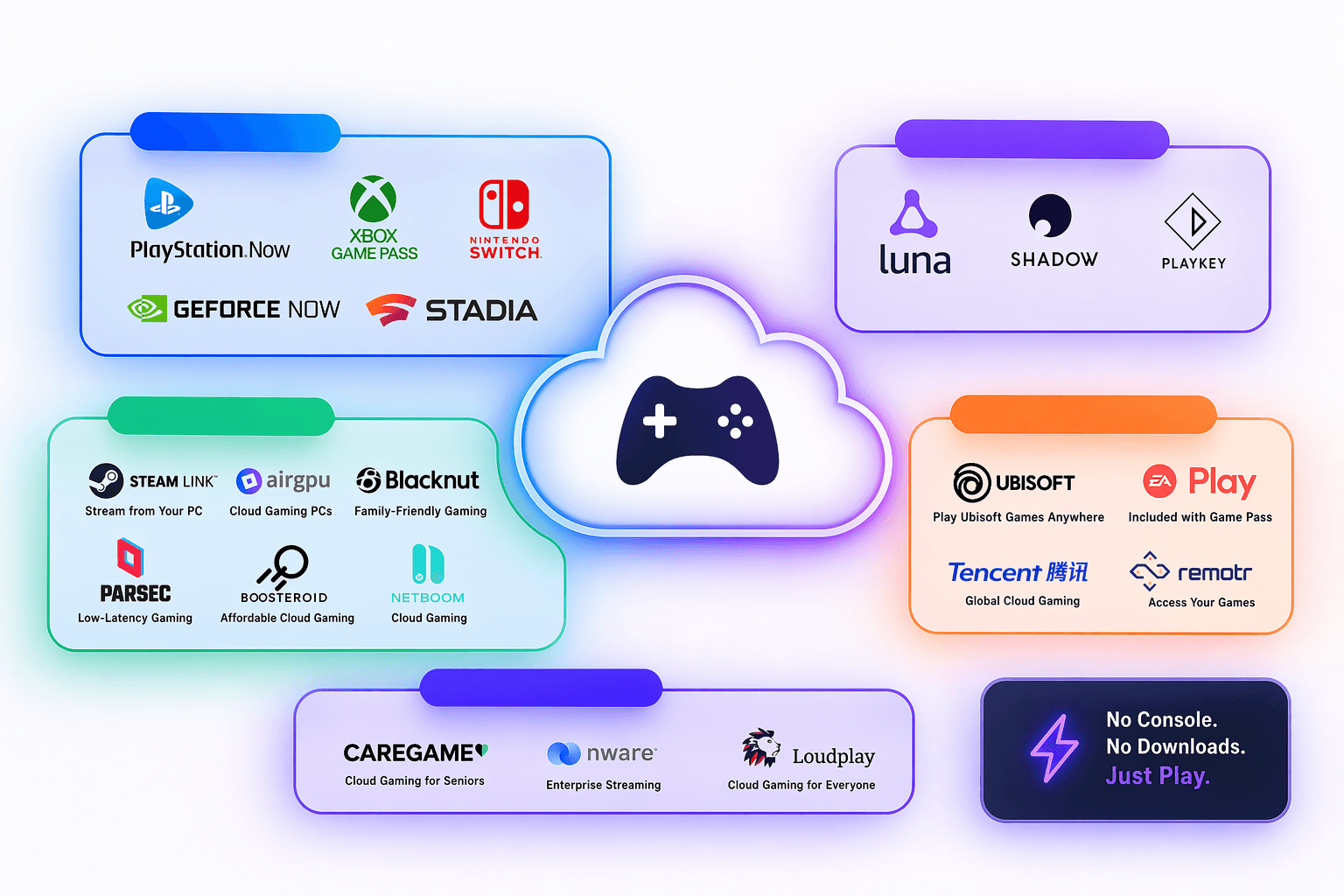
So you’re tired of upgrading your GPU every two years. Or maybe you want to game on a laptop that doubles as a cutting board. Either way, cloud gaming services have matured a lot, and 2026 is honestly the best time to jump in.
In this guide, we’re breaking down every major cloud gaming platform worth your time and money. We’ll cover what they’re good at, where they fall short, and who each one is actually built for. No fluff, just the real breakdown.
Let’s get into it.
What Is Cloud Gaming, Exactly?
Think of cloud gaming like Netflix — but instead of streaming a movie, you’re streaming a video game. The actual computing happens on powerful servers in a data center somewhere. Your device just sends your controller inputs and receives the video feed back.
That means you can play demanding AAA titles on a cheap laptop, a tablet, or even a smart TV. No downloads (usually), no hardware bottlenecks, just a solid internet connection and you’re off.
The tradeoff? Latency and video compression are real issues depending on your location and plan tier. But on a good connection, the experience is surprisingly close to local play.
Types of Cloud Gaming Services
Not all cloud gaming platforms work the same way. Before diving into individual services, it helps to know the three main models:
| Service Type | How It Works | Platforms |
|---|---|---|
Library-Based Streaming | Subscription game catalog | |
Bring-Your-Own-Library (BYOL) | Stream owned games from stores: (Steam, Epic Games, GOG, Ubisoft, Xbox…) | |
Cloud Computer | Full remote gaming PC |
1. Library-Based Streaming
You pay a subscription and get access to a pre-selected catalog of games. Think Netflix for games. Blacknut, Xbox cloud gaming, Amazon Luna, and PlayStation Plus Premium work this way.
2. Bring-Your-Own-Library (BYOL)
You already own games on Steam, Epic store, Ubisoft or Xbox*, and this service streams them from the cloud on high-end hardware, Geforce Now* and Boosteroid fall in this category.
3. Cloud Computer
Some services took it to the next, it means you have a deciated cloud gaming pc optimized for gamers, we’re talking about real hardware and a windows os that you have full controll you can install whatever game or software you want and play it, this is a little mroe advanced option, Shadow PC & AirGPU fall into this category.
notes:
- Xbox Cloud Gaming, is little complicated but i decided to classify it as “mild-hybrid” . Even though Xbox cloud is a cloud streaming service and already streams top tier games from it’s library, it has a partenrship with it’s “competetors” geforce now and boosteroid. So if you have valid Game Pass subscription, you can stream owned titles on NVIDIA GeForce NOW and boosteroid by only linking your microsoft account.
- Geforce now comes with a pre-installed library but you still need to connect your store to play those games
The Best Cloud Gaming Platforms in 2026: Full Breakdown
1. GeForce NOW — Best for PC Gamers Who Already Own Games

GeForce NOW is the gold standard for “bring your own library” cloud gaming. It connects directly to your Steam, Epic Games, GOG, and other storefronts, then runs your games on NVIDIA’s RTX-powered servers. It also comes with a library of hundreds of gamesThe Ultimate tier now supports up to 4K at 120fps — and honestly, it rivals a mid-to-high-end gaming PC.
The free tier is limited to 1-hour sessions and standard queues, which gets old fast. But the Performance or Ultimate tiers are a genuine upgrade for laptop gamers or anyone without a beefy desktop.
PROS
- Massive game compatibility list (1,800+ supported titles)
- Real NVIDIA RTX hardware — ray tracing, DLSS, the works
- Great for Steam library owners
- Solid free tier to test the service
CONS
- Some publishers have pulled their games from the platform
- Queue times on lower tiers
- Requires games you already own — no built-in catalog
2. Xbox Cloud Gaming — Best for Game Pass Subscribers

Microsoft has quietly built one of the most accessible cloud gaming services on the market. Xbox Cloud Gaming* (formerly Project xCloud) is baked into Game Pass Ultimate, which means you’re already paying for it if you’re a Game Pass subscriber.
The library is massive, hundreds of games from day one, and the integration across devices is seamless. Not only that, Microsoft has expanded their library base through partnerships with GeForce NOW and Boosteroid. So basically, if you you have xbox cloud subscription, you can connect your account to GeForce NOW, which allows you to bring your own library using your Microsoft account (with Game Pass), and then you can play those games!!
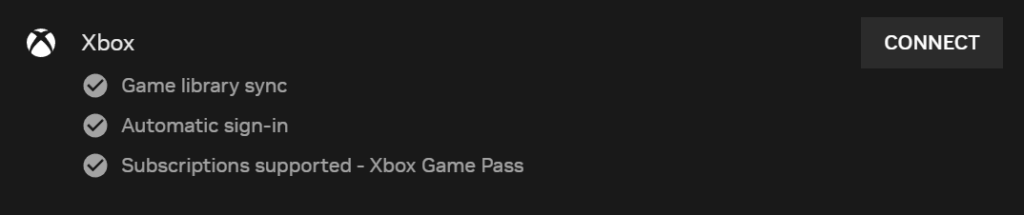
Geforce now xbox account linking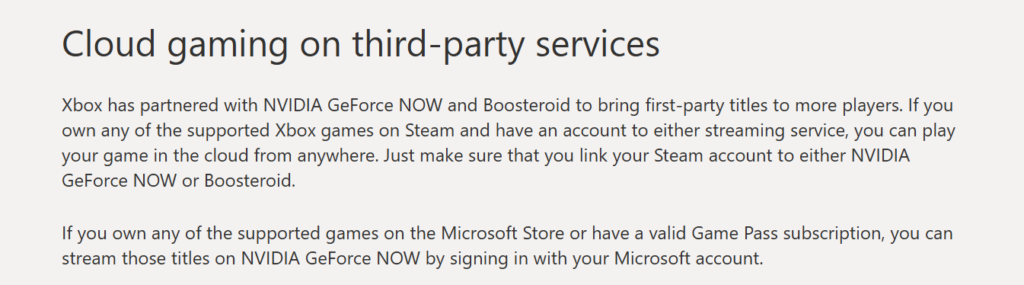
Xboux cloud clarificationwhen it comes to Performance has improved dramatically since launch. 1080p at 60fps is the current standard, with higher resolutions rolling out to select titles. It’s not 4K, but for casual-to-mid gaming sessions, it does the job well. You can still boost to 2k/60fps resolution bu upgrading your plan.
PROS
- Included in Game Pass Ultimate — incredible value
- Huge day-one library including first-party Xbox titles
- Works in a browser — no app required on most devices
- Strong mobile experience
CONS
- Capped at 1080p for most titles (2K still limited)
- Needs a controller for best experience
- Dependent on Game Pass pricing changes
3. Boosteroid — Best for Wide Game Compatibility on a Budget
Boosteroid is the underdog that more people should be talking about. It’s a European-based cloud gaming service with a surprisingly wide game library, we’re talking 1700+ titles, and it’s genuinely affordable.
The platform connects to your Steam, xbox and Epic accounts, so you’re streaming games you already own based on Boosteroid’s remote cloud-based gaming rigs ., Boosteroid has also partnered with publishers to add standalone titles directly to their catalog.
Performance tops out at 1080p/60fps on the standard tier, with higher settings on Business. It’s not NVIDIA-level quality, but for the price? It punches above its weight class — especially if you’re outside the US.
PROS
- Affordable pricing, especially for annual plans
- Growing game library with direct publisher partnerships
- Strong coverage in Europe and expanding globally
CONS
- Smaller server footprint than NVIDIA or Microsoft
- Streaming quality can vary by region
4. PlayStation Plus Premium — Best for PlayStation Exclusives

Sony’s cloud streaming is built into the PlayStation Plus Premium tier, giving subscribers access to stream classic PS1, PS2, PS3, and PS4 titles. It’s a nostalgia machine for PlayStation fans, and it works better than you’d expect.
The catalog leans heavily on legacy titles and PlayStation exclusives, which is either a huge selling point or totally irrelevant depending on what you’re into. Streaming on PS5 or PC gives you access to games without downloads — particularly handy for testing games before committing to a download.
The service has improved in stability, but compared to GeForce NOW or Xbox Cloud Gaming, the overall infrastructure feels a step behind. It also lacks proper mobile support, which is a notable gap in 2026.
PROS
- Best place to stream classic PlayStation titles
- Already included in PS Plus Premium — no extra cost
- Works on PC via browser
- Growing library of PS4/PS5 streamable titles
CONS
- No mobile support (Android/iOS)
- Streaming performance lags behind competitors
- Online Multiplayer is not supported in Essential plan
5. Amazon Luna — Best for Casual Gamers and Amazon Ecosystem Users

Amazon Luna has carved out a solid niche by offering a channel-based subscription model. Instead of one big flat library, you subscribe to “channels” like Luna+, Jackbox Games, or the Ubisoft+ channel. It gives you flexibility, but costs can add up if you’re stacking multiple channels.
Built on AWS infrastructure, Luna has excellent uptime and surprisingly good performance. The Fire TV integration is seamless, making it a natural choice if you’re already in the Amazon ecosystem.
The game library still trails Xbox and PlayStation, but Luna has been adding titles steadily. The Family channel makes it one of the better options for households with younger gamers.
If you’re a Prime Member you’ll get access to a rotating selection of cloud games every month.
PROS
- Excellent Fire TV and Amazon device integration
- Good performance backed by AWS
- Family-friendly channel available
- Free for Prime Members
CONS
- Smaller overall game library)
- Less attractive if you’re outside the Amazon ecosystem
6. Shadow PC — Best for a Full Windows Cloud PC

Shadow PC isn’t just cloud gaming — it’s a full Windows 11 gaming PC in the cloud. You get a dedicated virtual machine with a real GPU, persistent storage, and full access to install anything. Steam, Epic, Battle.net, Origin. All of it runs just like it would on a local machine.
This is the premium tier of cloud gaming. If you need the most flexibility and are willing to pay for it, Shadow is the answer. It’s ideal for heavy users who want to install and run whatever they want, not just a curated game list.
The downside is price. At $37.99 ($34.99 in offer), it’s nearly triple what competitors charge. And setup is more involved. However, you’re essentially managing a remote gaming PC with full control.
PROS
- Full Windows PC experience — unlimited flexibility
- Persistent storage (files and installs are saved)
- Any game, any launcher, any software
- Great for power users and streamers
CONS
- Most expensive option by a wide margin
- More setup required than plug-and-play services
7. AirGPU — Best for Hourly Pay-As-You-Go Cloud Gaming

AirGPU is Shadow’s viral, it’ a relatively newer player that operates on an hourly billing model rather than monthly subscriptions. You spin up a cloud gaming instance, choose your GPU tier, connect via a remote desktop client, and pay only for the hours you use.
This is a niche but brilliant model for gamers who play in irregular sessions. Don’t want to pay $10–$30/mo for a service you use five hours a week? AirGPU might save you money.
The hardware is genuinely impressive, starting from GTX 1080 all the way to NVIDIA RTX 4080-tier depending on configuration. It runs as a full Windows VM, so you get the Shadow PC-level flexibility without the monthly commitment.
PROS
- No monthly subscription — pay only for what you usev
- High-end GPU options available
- Full Windows VM — install anything
- Good for sporadic gamers
CONS
- Costs can spike if you play long sessions regularly
- More complex setup than consumer-friendly platforms
- Smaller ecosystem and community support
8. Blacknut — Best for Families and Kids

Blacknut is purpose-built for families. The service offers a catalog of 1000+ family-friendly and casual games across multiple platforms, with robust parental controls baked into every account.
You can create up to 5 separate profiles per subscription, each with its own game history and age-based content filters. For parents who want a safe, curated gaming environment, Blacknut is in a class of its own.
The platfrom offers special subscription in which you’ll get access to up to 100 Ubisoft titles.
Special offers – Add-ons
The game selection leans toward indie and casual titles rather than AAA blockbusters — so it’s not for competitive gamers. But the platform is stable, well-designed, and honestly underrated in the family gaming conversation.
PROS
- Best parental controls of any cloud gaming service
- Multi-profile support — great for households
- Clean, easy-to-navigate interface
CONS
- No AAA or mature titles
- Niche catalog — not for competitive/hardcore gamers
- Less appealing for solo adult gamers
9. CloudDeck — Best Up-and-Coming Service to Watch
CloudDeck is a cloud gaming service that lets you play your favorite games on almost any device without needing powerful hardware. It streams games from high-performance servers and supports features like upscaling and ray tracing for better visuals. Basicaly you’ll have your own computer
Plans start at $19.99 per month, or $14.99 with a 6-month subscription. Similar to Shadow PC and AIRGPU, CloudDeck gives you full PC access, allowing you to install games from your own libraries instead of relying on a limited catalog.
PROS
- Clean, modern interface
- Competitive entry pricing
- Low-latency focus for faster-paced games
- Active development and growing feature set
CONS
- Limited server regions currently
- Still maturing as a platform
- Less appealing for solo adult gamers
Cloud Gaming Services Comparison Table (2026)
Cloud gaming platform comparison — price, model, resolution, mobile support, and best use case for 9 platforms.
| Platform | Price / Month | Pricing Model | Max Resolution | Mobile Support | Best For |
|---|---|---|---|---|---|
GeForce NOW NVIDIA | Free – $19.99 | BYOL (Steam/Epic) | 4K @ 120fps | ✓ | PC library gamers |
Xbox Cloud Gaming Microsoft | Game Pass($9.99) ($22.99) | Library + BYOL | 2K @ 60FPS (4K expanding) | ✓ | Game Pass subscribers |
Boosteroid | €12.89 – €14.89 | BYOL + Catalog | 4K @ 120fps | ✓ | Budget gamers / EU |
PlayStation Plus Premium Sony | $9.99 – $17.99 | Sony Catalog | 1080p | ✗ | PlayStation fans |
Amazon Luna Amazon | $9.99+ | Channel-based | 1080p | ✓ | Fire TV / casual gamers |
Shadow PC | Neo: ~$34.19 /mo | Full Windows Cloud PC | 4K @ 240fps | ✓ | Power users |
AirGPU | Pay as you go ~ 0.65/ h | Full Virtual PC | 4K | ✓ | Sporadic gamers |
Blacknut | $15.99 | Family Catalog | 1080p | ✓ | Families / kids |
CloudDeck | $19.19 | Virtual PC | 1080p+ | ✓ | Early adopters |
How to Choose the Right Cloud Gaming Service?
There’s no single “best” platform, it really depends on your situation. Here’s how to narrow it down fast:
Ask yourself these questions:
Do you already own games on Steam or Epic? Go with GeForce NOW, Boosteroid, or AirGPU. They’ll stream your existing library without you buying anything new.
Are you already a Game Pass subscriber? Xbox Cloud Gaming is already included. Use it.
Do you play games irregularly — like once or twice a week? AirGPU’s pay-as-you-go model will likely save you money compared to a monthly plan.
Gaming as a family with young kids? Blacknut is the obvious call. Nothing else comes close on parental controls and family profiles.
Want the most powerful, flexible setup and don’t mind paying? Shadow PC gives you a full cloud gaming PC — no restrictions, no compromises.
On a tight budget but want a real gaming experience? Boosteroid offers the best dollar-per-hour value, especially in Europe.
Don’t Forget About Your Internet Speed
Cloud gaming is only as good as your connection. Here’s a quick network guide:
- 720p streaming: 15 Mbps minimum
- 1080p/60fps: 25–35 Mbps recommended
- 4K/HDR: 40–50 Mbps or faster
- Latency: Under 40ms ping to the nearest server is the sweet spot
If your connection is inconsistent, even the best service will frustrate you. Most platforms offer free trials — test before you commit.
Frequently Asked Questions (FAQs)
For a lot of people, yes — absolutely. If you don't want to invest $600–$1,000+ in a gaming PC or console, cloud gaming services offer a compelling alternative. They've matured significantly, and services like GeForce NOW Ultimate deliver genuinely impressive performance.That said, it's not for everyone. If you play offline frequently, have a slow internet connection, or want complete ownership of your game experience, local hardware still makes more sense.
Xbox Cloud Gaming wins on sheer library size thanks to the Game Pass catalog — hundreds of titles including first-party Xbox games on day one. GeForce NOW technically has access to the largest number of games (1,800+), but those are games you need to already own on Steam or Epic.
Yes! Most major cloud gaming services now support iOS through their web apps or native apps. GeForce NOW, Xbox Cloud Gaming, Amazon Luna, Boosteroid, and AirGPU all work on iPhone and iPad. Apple updated its App Store rules to allow cloud gaming apps, so the experience has improved significantly.
For a smooth 1080p/60fps experience, you generally need 25–35 Mbps with low latency (under 40ms to the nearest server). For 4K streaming on services like GeForce NOW Ultimate or Shadow PC, aim for 40–50 Mbps or higher. A wired Ethernet connection will always be more stable than Wi-Fi, especially for competitive gaming.
Yes — GeForce NOW offers a free tier with 1-hour session limits and standard-priority queues. It's a legitimate way to test the service. Beyond that, most services offer free trials or a limited time.
Most platforms support keyboard and mouse, but it varies by service and game. Shadow PC and AirGPU fully support K&M since they're running a full Windows environment. GeForce NOW and Boosteroid support K&M on PC/Mac browsers. Xbox Cloud Gaming is primarily controller-based, though some titles do support K&M.
For competitive play, you need the lowest latency possible. GeForce NOW Ultimate (with NVIDIA Reflex support) and Shadow PC are the strongest options. Both prioritize performance over cost, and running competitive titles like Valorant, CS2, or Apex Legends on these platforms is a real possibility — especially if you're within a short distance of a server.
Final Verdict: The Best Cloud Gaming Service Depends on You
Cloud gaming has officially grown up. Whether you’re a budget gamer in Europe leaning on Boosteroid, a Game Pass die-hard tapping into Xbox Cloud Gaming, or a power user who wants a full Shadow PC rig — there’s a legitimate option for you in 2026.
Here’s the quick summary:
- Best overall: GeForce NOW (Ultimate tier)
- Best value: Boosteroid or Xbox Cloud Gaming (if you have Game Pass)
- Most flexible: Shadow PC or AirGPU
- Best for families: Blacknut
- Best for PlayStation fans: PlayStation Plus Premium
- Best casual option: Amazon Luna
- Best newcomer to watch: CloudDeck
Take advantage of free trials before committing to anything long-term. Most platforms offer them, and 30 minutes of hands-on testing will tell you more than any review can.
Cloud gaming isn’t the future anymore. It’s the present, and it’s actually good now.
Found this guide helpful? Share it with a fellow gamer or bookmark it for when your next hardware upgrade is due — or not due, because you’re streaming everything now.
Play PC Games Instantly
No downloads. No expensive gaming PC. Play your Steam, Epic and other supported games directly from the cloud.