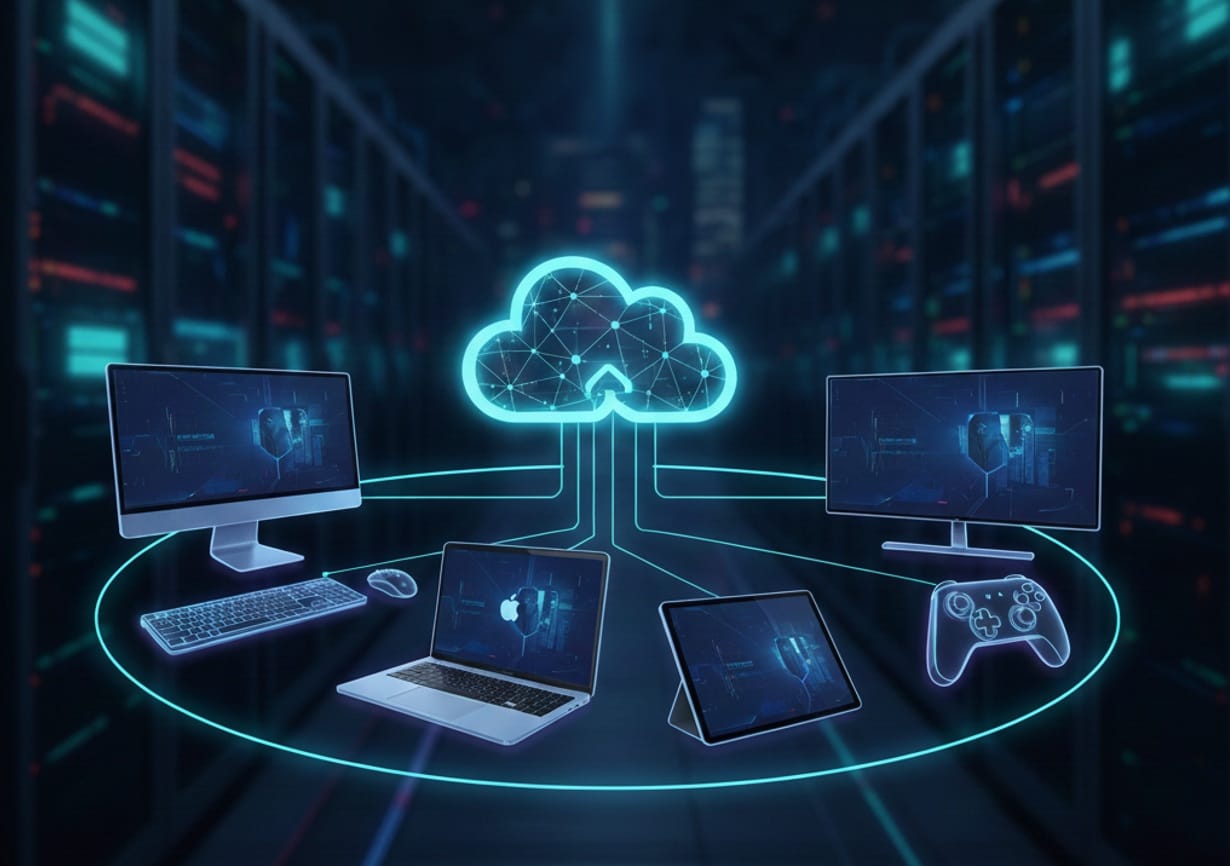
Cloud gaming has officially stepped into the mainstream, giving players the freedom to stream blockbuster titles on virtually any screen they own. But here’s the catch: not every platform plays nicely with every device. From controller quirks to Smart TV limitations, these small details can make or break your gaming experience.
With new hardware releases, updated apps, and evolving browser support, staying on top of compatibility is more important than ever. That’s why we’ve built this up‑to‑date, easy‑to‑follow roadmap to cloud gaming compatibility—so you can skip the trial and error and jump straight into playing.
Quick Compatibility Table: Major Platforms at a Glance
Here’s a high-level look at where you can play each major cloud gaming service as of late 2025. Scroll down for detailed breakdowns, device-specific tips, and controller pairing advice.
| Service | Windows PC | mac OS | Android | iOS/iPadOS | Samsung TV | LG TV | Android TV / Google TV | Fire TV | Gamepads (Xbox/PS/Backbone/Kishi) |
|---|---|---|---|---|---|---|---|---|---|
| Xbox Cloud Gaming | ✔ (see details) | ||||||||
| GeForce NOW | ✔ (see details) | ||||||||
| Amazon Luna | ✔ (see details) | ||||||||
| Boosteroid | ✔ (see details) | ||||||||
| Shadow | ✔ (see details) | ||||||||
| PlayStation Plus | ✔ (PS controllers, Portal only) |
*PlayStation Plus cloud streaming is available on PlayStation consoles, PlayStation Portal, and select browsers, but not natively on PC, Mac, or Smart TVs as of late 2025.
Note: Each checkmark means “officially supported”—but there are nuances, especially with controller pairing and browser support. Read on for the full scoop!
Platform-by-Platform Compatibility Breakdown
1. Xbox Cloud Gaming (Game Pass Ultimate)
Supported Devices
- Windows PC: Native Xbox app + browsers (Edge, Chrome, Firefox).
- macOS: Browser‑based (Safari, Chrome, Edge).
- Android: Xbox Game Pass app via Google Play.
- iOS/iPadOS: Browser‑based (Safari recommended; Chrome/Edge also work).
- Samsung Smart TV: Xbox app on 2021–2025 models via Samsung Gaming Hub.
- LG Smart TV: Xbox app on 2023–2025 models via LG Content Store.
- Android TV/Google TV: Browser‑based (Edge/Chrome) or sideloaded app (not officially supported).
- Amazon Fire TV: Xbox app on Fire TV Stick 4K, 4K Max/Select, Fire TV Cube, and Omni QLED TVs.
- VR Headsets: Meta Quest and others via browser.
Controller Support
- Xbox Wireless Controller: Fully supported (Bluetooth/USB).
- PlayStation DualShock 4/DualSense: Supported via Bluetooth (button prompts may differ).
- Mobile Controllers: Backbone, Razer Kishi, RiotPWR, GameSir, PowerA, 8BitDo.
- Other Controllers: Many third‑party Bluetooth/USB options (see Xbox verified list).
Special Notes
- Touch Controls: Available for select games (look for “Play with Touch” icon).
- Browser Streaming: Uses WebRTC for low latency; best on Edge/Chrome.
- Network: 10 Mbps minimum; 20+ Mbps + 5GHz Wi‑Fi/Ethernet recommended.
- Regional Availability: Now in 29 countries, including India, Brazil, Argentina.
Platform Quirks & Tips
- On iOS/iPadOS, add Xbox Cloud Gaming to Home Screen for near‑app experience.
- Smart TVs support only one controller/player per session (no local multiplayer).
- Fire TV Stick 4K Select/Plus now supported, making cloud gaming more affordable.
2. NVIDIA GeForce NOW
Supported Devices
- Windows PC: Native app + browsers (Chrome, Edge, Opera GX).
- macOS: Native app (10.15+), browser (Chrome/Edge/Safari).
- Android: GeForce NOW app (Android 7.0+, 2GB RAM).
- iOS/iPadOS: Browser‑based (Safari recommended).
- Smart TVs: Native app on Samsung (2020–2025) + LG (webOS 6.0+).
- Android TV/Google TV: GeForce NOW app (Android 8.0+).
- Amazon Fire TV: GeForce NOW app on Fire TV Stick 4K/Max, Cube, select TVs.
- Chromebook: Native app + browser support.
- Steam Deck: Native app with 1440p@60fps.
- VR Headsets: Apple Vision Pro, Meta Quest 3, others via browser/app.
Controller Support
- Xbox Wireless Controller: Fully supported.
- PlayStation DualShock 4/DualSense: Supported via Bluetooth/USB.
- Mobile Controllers: Backbone, Razer Kishi, SteelSeries Stratus Duo, Nimbus+, GameSir, 8BitDo.
- Other Controllers: Most modern Bluetooth/USB controllers supported.
Special Notes
- Game Library: Stream owned titles from Steam, Epic, Ubisoft, GOG, etc.
- Performance: Up to 4K/120Hz (Ultimate tier), 5K/120Hz on select LG monitors, 360fps at 1080p.
- Network: 25 Mbps (1080p/60fps), 40 Mbps (4K/60fps), 45 Mbps (4K/120fps).
- Regional Coverage: 30+ data centers worldwide.
- Smart TV Setup: Download app from TV store; 2023–2025 LG/Samsung support 4K/120Hz.
Platform Quirks & Tips
- Mobile defaults to 720p for readability; resolution adjustable.
- Some games require a gamepad; touch controls limited.
- Best results with USB‑C or Bluetooth 5.0/2.4GHz dongle for low input lag.
3. Amazon Luna
Supported Devices
- Windows PC/macOS: Browser (Chrome, Edge, Safari) + Luna app.
- Android: Luna app + browser (Chrome 86+, Android 10+).
- iOS/iPadOS: Browser‑based (Safari, iOS 15+).
- Smart TVs: Luna app via Samsung Gaming Hub (2021–2025) + LG (webOS 6.3.2+).
- Amazon Fire TV: Luna app on Fire TV Stick (2018+), Cube, Omni QLED, select TVs.
- Fire Tablets: 2018+ models, Fire OS 5+.
- Chromebook: Browser‑based (Chrome 86+).
Controller Support
- Amazon Luna Controller: Best via Cloud Direct (Wi‑Fi), Bluetooth, or USB.
- Xbox Wireless Controller: Supported.
- PlayStation DualShock 4/DualSense: Supported.
- Other Controllers: Backbone, Razer Kishi, Switch Pro, Stadia Controller (Bluetooth mode).
Special Notes
- Touch Controls: Available for select games.
- Network: 10 Mbps minimum; 5GHz Wi‑Fi/Ethernet recommended.
- Subscription: Channel‑based (Luna+, Ubisoft+, Jackbox, etc.); Prime members get rotating free games.
- Smart TV Setup: Luna app via Samsung Gaming Hub, LG Content Store, Fire TV Appstore.
Platform Quirks & Tips
- Luna Controller’s Cloud Direct = lowest latency.
- Bluetooth controllers may lag; USB/Cloud Direct better for competitive play.
- On iOS/iPadOS, add Luna to Home Screen for near‑native experience.
4. Boosteroid
Supported Devices
- Windows/macOS/Linux: Native app + browser.
- Android/iOS: App (Android 8+) + browser (Safari).
- Smart TVs: Android TV app, webOS app, Fire OS app.
Controller Support
- Xbox Wireless Controller: Supported.
- PlayStation DualShock 4/DualSense: Supported.
- Mobile Controllers: Backbone, Razer Kishi, GameSir, 8BitDo.
- Other Controllers: Most modern Bluetooth/USB controllers supported.
Special Notes
- Game Library: Stream owned titles from Steam, Epic, Battle.net, Origin, etc.
- Performance: Up to 4K/120fps with AV1 streaming.
- Network: 15 Mbps minimum; 25+ Mbps recommended.
- Regional Focus: Strong in Europe; expanding in North America/Asia.
Platform Quirks & Tips
- Unlimited session time (no forced logouts).
- AV1 codec reduces bandwidth at high resolutions.
- Wired controllers or Bluetooth 5.0 dongles recommended.
5. Shadow PC
Supported Devices
- Windows/macOS/Linux: Native app + browser.
- Android/iOS: App + browser.
- Smart TVs: Android TV + Apple TV supported; browser access on others.
- Browser: Any Chromium‑based browser with H.264 support.
Controller Support
- Xbox Wireless Controller: Fully supported.
- PlayStation DualShock 4/DualSense: Fully supported.
- Mobile Controllers: Backbone, Razer Kishi, GameSir, 8BitDo.
- Other Controllers: Most modern controllers supported.
Special Notes
- Full Windows PC: Install any game/app; not limited to curated library.
- Performance: Up to 4K with RTX/DLSS (tier/server dependent).
- Network: 10 Mbps minimum; 20+ Mbps recommended.
- Regional Coverage: North America, Europe, select worldwide regions.
Platform Quirks & Tips
- Shadow = full cloud PC, supports all Windows peripherals.
- Strict anti‑cheat games may not work.
- Wired controller + Ethernet = best performance.
6. PlayStation Plus (Cloud Streaming)
Supported Devices
- PlayStation 5/4: Native cloud streaming for Game Catalog/Classics.
- PlayStation Portal: Dedicated handheld for PS5 cloud streaming.
- Windows PC: Browser‑based (select regions; limited to Game Catalog/Classics).
- Mac/Mobile/Smart TV: Not officially supported (as of late 2025).
Controller Support
- PlayStation DualSense/DualShock 4: Fully supported.
- Other Controllers: Not officially supported.
Special Notes
- Game Library: Stream select PS5/PS4 titles from library + Game Catalog.
- Performance: Up to 1080p/60fps; 3D audio + accessibility features on Portal.
Platform Quirks & Tips
- PlayStation Portal is the only handheld device with official PS5 cloud streaming support.
- In-game purchases and accessibility options are available during cloud streaming sessions on Portal.
- No official support for Smart TVs, Android, or iOS as of late 2025.
Device-Specific Compatibility Deep Dive
Windows PC
- Platform support: Xbox Cloud Gaming, GeForce NOW, Luna, Boosteroid, and Shadow all run smoothly on Windows 10/11 via native apps or browsers.
- Controller setup: Best results with USB‑C or official wireless adapters; Bluetooth 5.0 and 2.4GHz dongles are reliable alternatives.
- Browser streaming: Edge and Chrome deliver the lowest latency thanks to WebRTC.
- PlayStation controllers: DualSense/DualShock 4 work with Xbox Cloud Gaming and GeForce NOW, though button prompts may differ.
macOS
- Platform support: GeForce NOW, Boosteroid, Shadow, and Luna offer native macOS apps plus browser access (Safari, Chrome, Edge).
- Xbox Cloud Gaming: Browser‑only (Safari recommended).
- Controller compatibility: Xbox, PlayStation, Backbone, Razer Kishi, and most Bluetooth/USB controllers supported.
- Performance: Apple Silicon Macs (M1/M2/M3) handle high resolutions and frame rates, with GeForce NOW Ultimate reaching up to 5K/120Hz.
Android (Phones & Tablets)
- Platform support: All major services provide native Android apps.
- Controller compatibility: Xbox, PlayStation, Backbone, Razer Kishi, GameSir, 8BitDo, and more via Bluetooth or USB‑C.
- Touch controls: Available on select titles in Xbox Cloud Gaming and Luna.
- Performance: Streams at 720p–1080p; 5GHz Wi‑Fi recommended for smooth play.
iOS/iPadOS
- Platform support: Xbox Cloud Gaming, GeForce NOW, Luna, Boosteroid, and Shadow accessible via Safari (browser‑based due to App Store restrictions).
- Controller compatibility: Xbox, PlayStation, Backbone One (Lightning/USB‑C), Razer Kishi, RiotPWR, and others.
- Touch controls: Supported on select Xbox Cloud Gaming and Luna titles.
- Performance: 720p–1080p streaming; 5GHz Wi‑Fi recommended.
Smart TVs:
- Platform support: Xbox Cloud Gaming, GeForce NOW, and Luna via Samsung Gaming Hub (2021–2025 models).
- Controller compatibility: Xbox, PlayStation, Luna Controller, and many Bluetooth options.
- Performance: Up to 4K/120Hz on supported models (GeForce NOW Ultimate).
- Setup: Download apps from Samsung App Store or Gaming Hub.
LG Smart TVs (webOS)
- Platform support: GeForce NOW, Luna, and Xbox Cloud Gaming on 2021–2025 models (webOS 6.0+).
- Controller compatibility: Xbox, PlayStation, Luna Controller, and Bluetooth controllers.
- Performance: Up to 4K/120Hz on 2025 OLED models (GeForce NOW Ultimate).
- Setup: Install via LG Content Store.
Android TV / Google TV
- Platform support: GeForce NOW, Luna, Boosteroid, and Shadow via native apps (Android 8.0+).
- Xbox Cloud Gaming: Browser‑based (Edge/Chrome) or sideloaded app (not officially supported).
- Controller compatibility: Xbox, PlayStation, and most Bluetooth/USB controllers.
Amazon Fire TV
- Platform support: Xbox Cloud Gaming, GeForce NOW, Luna, and Boosteroid via native apps on Fire TV Stick 4K, 4K Max/Select, Cube, and select TVs.
- Controller compatibility: Xbox, PlayStation, Luna Controller (Cloud Direct recommended), and Bluetooth controllers.
- Performance: Up to 4K streaming on supported devices.
Gamepad Compatibility: What Works Best? (and Why?)
Xbox Wireless Controller
- Universal support: Works seamlessly across PC, Mac, Android, iOS, Smart TVs, and Fire TV.
- Connection options: USB‑C (lowest latency), Bluetooth 5.0, or Xbox Wireless Adapter (PC).
- Best for: Xbox Cloud Gaming, GeForce NOW, Luna, Boosteroid, Shadow.
PlayStation DualSense (PS5) and DualShock 4 (PS4)
- Supported on: All major platforms via Bluetooth/USB‑C; button prompts may differ.
- Advanced features: Haptics/adaptive triggers limited outside PlayStation ecosystem.
- Best for: PlayStation Plus, but also compatible with Xbox Cloud Gaming, GeForce NOW, Luna, Boosteroid, Shadow.
Backbone One (iPhone/Android)
- Connection: Direct Lightning/USB‑C for lowest latency; transforms phone into handheld console.
- Supported on: Xbox Cloud Gaming, GeForce NOW, Luna, PlayStation Remote Play.
- Best for: Mobile‑first gamers seeking a Switch‑like experience.
Razer Kishi (V2/Ultra)
- Connection: Direct USB‑C for minimal lag; ergonomic design for long sessions.
- Supported on: Xbox Cloud Gaming, GeForce NOW, Luna, PlayStation Remote Play.
- Best for: Competitive mobile gaming.
Amazon Luna Controller
- Unique feature: Cloud Direct mode connects via Wi‑Fi, bypassing device for lowest latency.
- Compatibility: Also works via Bluetooth/USB on PC, Mac, Fire TV, Android, iOS, Smart TVs.
- Best for: Amazon Luna, but usable across platforms.
8BitDo, GameSir, PowerA, SteelSeries, RiotPWR
- Wide compatibility: PC, Mac, Android, iOS, Smart TVs via Bluetooth/USB.
- Special features: Hall Effect sticks, programmable buttons, modular designs.
- Best for: Gamers wanting customization and ergonomic options.
Stadia Controller (Bluetooth Mode)
- Legacy support: Usable as Bluetooth controller across devices until Dec 31, 2025.
Wired vs. Wireless: Latency and Best Practices
- Wired USB‑C: Lowest input lag (3–6ms); ideal for competitive gaming.
- Bluetooth 5.0: Convenient but higher latency (10–20ms); interference possible.
- 2.4GHz Dongle: Nearly matches wired speeds; excellent for PC/Smart TVs.
- Direct Wi‑Fi (Luna Controller): Lowest possible latency on Luna (reduces lag by 10–30ms).
Pro Tip: For the smoothest cloud gaming, use wired USB‑C or Direct Wi‑Fi. If wireless is necessary, stick to Bluetooth 5.0 or a 2.4GHz dongle and keep devices close.e to the controller.
Browser-Based Streaming: What Works and Where
Platform Support
- Xbox Cloud Gaming: Edge, Chrome, Firefox (Windows/macOS); Safari (iOS/iPadOS).
- GeForce NOW: Chrome, Edge, Opera GX (Windows/macOS/Linux/Chromebook); Safari (iOS/iPadOS).
- Amazon Luna: Chrome, Edge (Windows/macOS/Android); Safari (iOS/iPadOS).
- Boosteroid: Chrome, Edge, Safari.
- Shadow: Any Chromium‑based browser with H.264 support.
Browser Tips
- WebRTC backbone: Ensures low‑latency streaming; Chrome and Edge deliver the best performance.
- Safari on iOS/iPadOS: Required due to App Store restrictions; add the site to your Home Screen for a near‑native feel.
- Codec support: Chrome/Edge support VP8/VP9/H.264; Safari is H.264‑only, which may affect video quality and performance.
Regional Availability & Data Center Coverage
- Xbox Cloud Gaming: Available in 29 countries, including India, Brazil, and Argentina. Regional server upgrades reduce wait times and improve latency.
- GeForce NOW: 30+ data centers worldwide; check NVIDIA’s site for the latest list and nearest server.
- Amazon Luna: Available in the US, Canada, UK, Germany, and select regions.
- Boosteroid: Strongest in Europe, expanding into North America and Asia.
- Shadow: Available in North America, Europe, and select regions.
Tip: Always connect to the closest data center for the lowest latency and smoothest performance.
Platform-Specific Quirks & Recent Updates (Late 2025)
- GeForce NOW: RTX 5080‑class servers now live worldwide; supports 4K/120Hz streaming on 2025 LG OLED TVs and select monitors.
- Xbox Cloud Gaming: Expanded to more countries and Smart TVs; now supports Fire TV Stick 4K Select and 4K Plus.
- Amazon Luna: Prime members enjoy rotating free games; Luna Controller’s Cloud Direct remains the lowest‑latency option.
- Boosteroid: AV1 streaming reduces bandwidth use; unlimited session time available.
- Shadow: Functions as a full Windows PC in the cloud—install any game or app.
- PlayStation Plus: PS Portal streams select PS5 games from your library; new accessibility and in‑game store features added.
Final Take: Picking the Right Platform for You
Cloud gaming in 2025 is practical, powerful, and more accessible than ever. The best platform depends on your gaming habits, device ecosystem, and performance needs:
- PlayStation enthusiasts: PlayStation Plus Premium and Portal provide the best cloud experience for PS5 games.
- Big digital library owners: GeForce NOW or Boosteroid let you stream purchased games in high fidelity.
- Xbox fans: Xbox Cloud Gaming offers day‑one access to new titles within the Xbox ecosystem.
- Family‑friendly gamers: Amazon Luna’s channel‑based subscriptions and Fire TV integration are a great fit.
- Flexibility seekers: Shadow delivers a full Windows PC in the cloud.
Finally, make sure to Try free tiers or trials where available, and always confirm device + controller compatibility before committing. With the right setup, you can enjoy AAA gaming on any screen—no expensive hardware required.
FAQs
Yes! Xbox Cloud Gaming works on iPhone and iPad via Safari (browser-based). Just visit xbox.com/play, sign in with your Game Pass Ultimate account, and add the site to your Home Screen for a near-app experience.
GeForce NOW is supported on: - Samsung Smart TVs (2020–2025 models; 2023–2025 for 4K/120Hz) - LG Smart TVs (2020–2025 models with webOS 6.0+; 2025 OLEDs for 4K/120Hz) - Android TV/Google TV devices (Android 8.0+) - Amazon Fire TV (Fire TV Stick 4K, 4K Max, Cube, and select TVs) Check your TV’s app store for the GeForce NOW app and ensure your firmware is up to date.
For most games, yes. The Amazon Luna Controller (Cloud Direct, Bluetooth, or USB) offers the best experience, but Xbox, PlayStation, Backbone, Razer Kishi, and many other controllers are supported. Some games offer touch controls on mobile and browser, and you can use your phone as a virtual controller in a pinch.
Yes! Both DualShock 4 and DualSense controllers work via Bluetooth or USB on PC, Mac, Android, iOS, and Smart TVs. Button prompts may differ (Xbox-style prompts in most games), and advanced features like haptics may not be fully supported.
- Use a wired USB-C connection for your controller whenever possible. - If wireless, prefer Bluetooth 5.0 or a 2.4GHz dongle over older Bluetooth versions. - On Luna, use the Cloud Direct mode for the lowest latency. - Connect your device to the internet via Ethernet or a strong 5GHz Wi-Fi network. - Enable Game Mode on your TV or monitor to reduce display lag.
Sometimes. Xbox Cloud Gaming and Luna offer touch controls for select games on mobile and browser. For most titles, a physical controller is recommended for the best experience.
- GeForce NOW, Shadow, Luna (PC/Mac): Yes, for games that support it. - Xbox Cloud Gaming: Limited keyboard/mouse support in browser on PC; most games require a controller. - Smart TVs and mobile: Controller required; keyboard/mouse not supported.
- Xbox Cloud Gaming: 29 countries, including US, UK, Canada, India, Brazil, Argentina, and much of Europe. - GeForce NOW: 30+ data centers worldwide; check NVIDIA’s site for your region. - Amazon Luna: US, Canada, UK, Germany, and select regions. - Boosteroid: Europe, North America, Asia (expanding). - Shadow: North America, Europe, select regions.
Play PC Games Instantly
No downloads. No expensive gaming PC. Play your Steam, Epic and other supported games directly from the cloud.